The Game of Hog
- Due: Thursday 09/17 @ 11:59pm
- Checkpoint: Thursday 09/10 @ 11:59pm
- Points: 25
- Download: hog.zip
To receive credit, you must solve each problem and then complete a short checkoff interview about your solution. You may use Preceptor for the interview or come to office hours to be interviewed by a member of the course staff. Staff will be doing in-person checkoffs for up to 3 business days after the assignment deadline (including any approved extension). If a checkoff happens more than 3 business days after the regular deadline, staff may ask to confirm your extended deadline via Flextensions. You will submit a Provenance bundle that includes a record of how you used VS Code, including interactions with Preceptor. Please do not use AI tools other than Preceptor for this assignment.
I know! I'll use my
Higher-order functions to
Order higher > rolls.

Important submission note: For full credit:
- Submit with Phase 1 complete by Thursday 09/10, worth 1 pt.
- Submit the complete project by Thursday 09/17.
Try to attempt the problems in order, including running the tests for each problem as you progress, since some later problems will depend on earlier problems in their implementation.
You may complete the project with a partner. However, you both need to complete the project, each typing out all solutions (which are not very long). Each of you should turn in the project you typed out.
Alternatively, if you and your partner work together to complete the project on one computer, switching off who types, then you both may submit the same Provenance zip from that one computer.
You can get 1 bonus point by submitting the entire project by Wednesday 09/16. You can receive extensions on the project deadline and checkpoint deadline, but not on the early deadline, unless you're a DSP student with an accommodation for assignment extensions.
Introduction
In this project, you will develop a simulator and multiple strategies for the dice game Hog. You will need to use control statements and higher-order functions together, as described in Lectures 1-5 and Sections 1.1 through 1.6 of Composing Programs.
When students in the past have tried to implement the functions without thoroughly reading the problem description, they’ve often run into issues. 😱 Read each description thoroughly before starting to code.
Rules
In Hog, two players alternate turns trying to be the first to end a turn with
at least GOAL total points, where GOAL is by default 100. On each turn, the current player chooses some number
of dice to roll together, up to 10. That player's score for the turn is the sum of the
dice outcomes. However, a player who rolls too many dice risks:
- Sow Sad. If any of the dice outcomes is a 1, the current player's score
for the turn is
1, regardless of the other values rolled.
Examples
- Example 1: The current player rolls 7 dice, 5 of which are 1's. They
score
1point for the turn. - Example 2: The current player rolls 4 dice, all of which are 3's. Since
Sow Sad did not occur, they score
12points for the turn.
In a normal game of Hog, those are all the rules. To spice up the game, we'll include some special rules:
- Boar Brawl. A player who chooses to roll zero dice scores three times the absolute difference between the tens digit of the opponent’s score and the ones digit of the current player’s score, or 1, whichever is greater. The ones digit refers to the rightmost digit and the tens digit refers to the second-rightmost digit. If a player's score is a single digit (less than 10), the tens digit of that player's score is 0.
Examples
- Example 1:
- The current player has
21points and the opponent has46points, and the current player chooses to roll zero dice. - The tens digit of the opponent's score is
4and the ones digit of the current player's score is1. - Therefore, the player gains
3 * abs(4 - 1) = 9points.
- The current player has
- Example 2:
- The current player has
45points and the opponent has52points, and the current player chooses to roll zero dice. - The tens digit of the opponent's score is
5and the ones digit of the current player's score is5. - Since
3 * abs(5 - 5) = 0, the player gains1point.
- The current player has
- Example 3:
- The current player has
2points and the opponent has5points, and the current player chooses to roll zero dice. - The tens digit of the opponent's score is
0and the ones digit of the current player's score is2. - Therefore, the player gains
3 * abs(0 - 2) = 6points.
- The current player has
- Sus Fuss. We call a number sus if it has exactly 3 or 4 factors, including 1 and the number itself. If, after rolling, the current player's score is a sus number, their score instantly increases to the closest prime number greater than their current score.
Examples
-
Example 1:
- A player has 14 points and rolls 2 dice that earns them 7 points. Their new score would be 21, which has 4 factors: 1, 3, 7, and 21. Therefore, 21 is sus, and the player's score is immediately increased to 23, the next prime number.
-
Example 2:
- A player with 63 points rolls 5 dice and earns 1 point from their turn. Their new score would be 64 (Sow Sad 😢), which has 7 factors: 1, 2, 4, 8, 16, 32, and 64. Since 64 is not sus, the score of the player is unchanged.
-
Example 3:
- A player has 49 points and rolls 5 dice that total 18 points. Their new score would be 67, which is prime and has 2 factors: 1 and 67. Since 67 is not sus, the score of the player is unchanged.
Download starter files
To get started, download all of the project code as a zip archive.
Below is a list of all the files you will see in the archive once unzipped.
For the project, you'll only be making changes to hog.py.
hog.py: A starter implementation of Hogdice.py: Functions for making and rolling dicehog_gui.py: A graphical user interface (GUI) for Hogucb.py: Utility functions for CS 61Ahog_ui.py: A text-based user interface (UI) for Hogtests: Tests for each problemgui-files: A folder of various things used by the web GUI
Other files and folders configure the tests and VS Code extensions. Please do
not modify any files other than hog.py.
Getting Started Videos
These videos may provide some helpful direction for tackling the coding problems on this assignment.
To see these videos, you should be logged into your berkeley.edu email.
Phase 1: Rules of the Game
In the first phase, you will develop a simulator for the game of Hog.
Problem 0 (0 pt)
The dice.py file represents dice using non-pure zero-argument functions.
These functions are non-pure because they may have different return values each
time they are called, and so a side-effect of calling the function is
changing what will be returned when the function is called again.
A dice function takes no arguments and returns a number from 1 to n (inclusive), where n is the number of sides on the dice.
Fair dice produce each possible outcome with equal probability. The six_sided
function represents fair six-sided dice.
six_sided = make_fair_dice(6)
Test dice always cycles through a fixed sequence of values that are passed as arguments. Test dice are generated by the make_test_dice function.
def make_test_dice(...):
    """Return a die that cycles deterministically through OUTCOMES.

    >>> dice = make_test_dice(1, 2, 3)
    >>> dice()
    1
    >>> dice()
    2
    >>> dice()
    3
    >>> dice()
    1
    >>> dice()
    2
Check your understanding by unlocking the dice tests.
python3 -m pytest -k q00 --unlockUnlocking Examples
>>> from hog import *
>>> test_dice = make_test_dice(4, 1, 2)
>>> test_dice()
______
>>> test_dice() # Second call
______
>>> test_dice() # Third call
______
>>> test_dice() # Fourth call
______
>>> test_dice() # Fifth call
______
You can exit the unlocker by typing exit().
Problem 1 (2 pt)
Implement the roll_dice function in hog.py. It takes two arguments: a
positive integer called num_rolls, which specifies the number of times to roll
dice, and a dice function. It returns the number of points scored by rolling
num_rolls dice in a turn: either the sum of the outcomes or 1.
- Sow Sad. If any of the dice outcomes is a 1, the current player's score
for the turn is
1, regardless of the other values rolled.
Examples
- Example 1: The current player rolls 7 dice, 5 of which are 1's. They
score
1point for the turn. - Example 2: The current player rolls 4 dice, all of which are 3's. Since
Sow Sad did not occur, they score
12points for the turn.
To obtain a single outcome of a dice roll, call dice(). You should call
dice() exactly num_rolls times in the body of roll_dice, even if Sow
Sad happens in the middle of rolling. By doing so, you will correctly simulate
rolling all the dice together (and the user interface and tests will work
correctly).
Do not use lists, strings, square brackets, or for statements in your answer.
Note: The
roll_dicefunction, and many other functions throughout the project, makes use of default argument values. You can see this in the function heading:def roll_dice(num_rolls, dice=six_sided): ...The argument
dice=six_sidedindicates that thediceparameter in theroll_dicefunction is optional. If no value is provided fordice, thensix_sidedwill be used by default.However, to roll different dice (such as test dice), you must pass them in.
Unlock the test cases to check your understanding, then run them once you implement the function.
python3 -m pytest -k q01 --unlockUnlocking Examples
>>> from hog import *
>>> roll_dice(5, make_test_dice(4, 2, 3, 3, 4, 1))
______
>>> roll_dice(2, make_test_dice(1))
______
>>> dice = make_test_dice(5, 4, 3, 2, 1)
>>> roll_dice(1, dice)    # Outcomes: (5)
______
>>> roll_dice(4, dice)    # Outcomes: (4, 3, 2, 1)
______
>>> roll_dice(2, dice)    # Outcomes: (5, 4)
______
>>> roll_dice(6, dice)    # Outcomes: (3, 2, 1, 5, 4, 3)
______
>>> roll_dice(3, dice)    # Outcomes: <you figure it out>
______
>>> roll_dice(2, dice)    # Outcomes: <you figure it out>
______
python3 -m pytest -k q01Debugging Tips
Check out the Debugging Guide!
If the tests don't pass, it's time to debug. You can observe the behavior of
your function using Python directly. First, start the Python interpreter and
load the hog.py file.
python3 -i hog.py
Then, you can call your roll_dice function on any number of dice you want.
>>> roll_dice(4)
You will find that the previous expression may have a different result each time you call it, since it is simulating random dice rolls. You can also use test dice that fix the outcomes of the dice in advance. For example, rolling twice when you know that the dice will come up 3 and 4 should give a total outcome of 7.
>>> fixed_dice = make_test_dice(3, 4)
>>> roll_dice(2, fixed_dice)
7
On most systems, you can load previous expressions by pressing the up arrow.
Once you correct a problem in
hog.py, exit the Python interpreter by typingexit()after the>>>prompt, then re-run the problem's tests.
Problem 2 (2 pt)
Implement boar_brawl, which takes the player's current score player_score and the
opponent's current score opponent_score. It returns the number of points scored when
the player rolls 0 dice.
- Boar Brawl. A player who chooses to roll zero dice scores three times the absolute difference between the tens digit of the opponent’s score and the ones digit of the current player’s score, or 1, whichever is greater. The ones digit refers to the rightmost digit and the tens digit refers to the second-rightmost digit. If a player's score is a single digit (less than 10), the tens digit of that player's score is 0.
Examples
- Example 1:
- The current player has
21points and the opponent has46points, and the current player chooses to roll zero dice. - The tens digit of the opponent's score is
4and the ones digit of the current player's score is1. - Therefore, the player gains
3 * abs(4 - 1) = 9points.
- The current player has
- Example 2:
- The current player has
45points and the opponent has52points, and the current player chooses to roll zero dice. - The tens digit of the opponent's score is
5and the ones digit of the current player's score is5. - Since
3 * abs(5 - 5) = 0, the player gains1point.
- The current player has
- Example 3:
- The current player has
2points and the opponent has5points, and the current player chooses to roll zero dice. - The tens digit of the opponent's score is
0and the ones digit of the current player's score is2. - Therefore, the player gains
3 * abs(0 - 2) = 6points.
- The current player has
Don't assume that scores are below 100. Write your
boar_brawlfunction so that it works correctly for any non-negative score.
Do not use lists, strings, square brackets, or for statements in your answer.
python3 -m pytest -k q02 --unlockUnlocking Examples
>>> from hog import *
>>> import tests.construct_check as test
>>> boar_brawl(21, 46)
______
>>> boar_brawl(52, 79)
______
>>> boar_brawl(0, 0)
______
>>> boar_brawl(0, 5)
______
>>> boar_brawl(5, 0)
______
>>> boar_brawl(2, 5)
______
>>> boar_brawl(7, 2)
______
>>> boar_brawl(72, 29)
______
python3 -m pytest -k q02You can also test boar_brawl interactively by running python3 -i hog.py
from the terminal and calling boar_brawl on various inputs.
Problem 3 (2 pt)
Implement the take_turn function, which returns the number of points scored
for a turn by rolling the dice num_rolls times.
Your implementation of take_turn should call both the roll_dice and
boar_brawl functions rather than repeating their implementations.
python3 -m pytest -k q03 --unlockUnlocking Examples
>>> from hog import *
>>> take_turn(2, 7, 27, make_test_dice(4, 5, 1))
______
>>> take_turn(3, 15, 9, make_test_dice(4, 6, 1))
______
>>> take_turn(0, 12, 41) # what happens when you roll 0 dice?
______
python3 -m pytest -k q03Problem 4 (2 pt)
First, implement num_factors, which takes in a positive integer n and
determines the number of factors that n has. 1 and n are both factors of
n.
After, implement sus_points and sus_update.
sus_pointstakes in a player's score and returns the player's new score after applying the Sus Fuss rule, even if the score remains unchanged. For example,sus_points(5)should return5andsus_points(21)should return23. You should usenum_factorsand the providedis_primefunction in your implementation.sus_updatereturns a player's total score after they rollnum_rollsdice, taking both Boar Brawl and Sus Fuss into account. You should usesus_pointsin this function.
Hints:
- Look at the implementation of
simple_updateinhog.pyand use that as a starting point for yoursus_updatefunction.take_turnalready implements the Boar Brawl rule.
- Sus Fuss. We call a number sus if it has exactly 3 or 4 factors, including 1 and the number itself. If, after rolling, the current player's score is a sus number, their score instantly increases to the closest prime number greater than their current score.
Examples
-
Example 1:
- A player has 14 points and rolls 2 dice that earns them 7 points. Their new score would be 21, which has 4 factors: 1, 3, 7, and 21. Therefore, 21 is sus, and the player's score is immediately increased to 23, the next prime number.
-
Example 2:
- A player with 63 points rolls 5 dice and earns 1 point from their turn. Their new score would be 64 (Sow Sad 😢), which has 7 factors: 1, 2, 4, 8, 16, 32, and 64. Since 64 is not sus, the score of the player is unchanged.
-
Example 3:
- A player has 49 points and rolls 5 dice that total 18 points. Their new score would be 67, which is prime and has 2 factors: 1 and 67. Since 67 is not sus, the score of the player is unchanged.
python3 -m pytest -k q04 --unlockUnlocking Examples
>>> from hog import *
>>> num_factors(1)
______
>>> num_factors(2)
______
>>> num_factors(3)
______
>>> num_factors(8)
______
>>> num_factors(9)
______
>>> sus_points(2)  # 2 is not sus
______
>>> sus_points(8)  # 8 is sus
______
>>> num_rolls = 1
>>> simple_update(num_rolls, 1, 3, make_test_dice(5))
______
>>> sus_update(num_rolls, 1, 3, make_test_dice(5)) # 1 and 5 are not sus, but 6 is!
______
python3 -m pytest -k q04Problem 5 (4 pt)
Implement the play function, which simulates a full game of Hog. Players take
turns rolling dice until one of the players reaches the goal score.
The function then returns the final scores of both players.
To determine how many dice are rolled each turn, call the current player's
strategy function (Player 0 uses strategy0 and Player 1 uses strategy1). A
strategy is a function that, given a player's score and their opponent's
score, returns the number of dice that the current player will roll in that
turn. A simple example strategy is always_roll_5 which appears above play.
To determine the updated score for a player after they take a turn, call the
update function. An update function takes the number of dice to roll, the
current player's score, the opponent's score, and the dice function used to
simulate rolling dice. It returns the updated score of the current player after
they take their turn. Two examples of update functions are simple_update and
sus_update. Update functions return the player's total score after their
turn, not just the change in score.
The game ends when a player reaches or exceeds the goal score by the end of
their turn, after all applicable rules have been applied. play will then
return the final total scores of both players, with Player 0's score first and
Player 1's score second.
Some example calls to play are:
play(always_roll_5, always_roll_5, simple_update)simulates two players that both always roll 5 dice each turn, playing with just the Sow Sad and Boar Brawl rules.play(always_roll_5, always_roll_5, sus_update)simulates two players that both always roll 5 dice each turn, playing with the Sus Fuss rule in addition to the Sow Sad and Boar Brawl rules (i.e. all the rules).
Important: For the user interface to work, a strategy function should be called only once per turn. Only call
strategy0when it is Player 0's turn and only callstrategy1when it is Player 1's turn.
Hints:
- If
whois the current player, the next player is1 - who.- To call
play(always_roll_5, always_roll_5, sus_update)and print out what happens each turn, runpython3 hog_ui.pyfrom the terminal.
python3 -m pytest -k q05Checkpoint Submission
Run Provenance: Prepare Submission Bundle from the VS Code command palette and upload the zip it creates to the Hog Checkpoint assignment on Gradescope.
Be sure to submit before the checkpoint deadline of Thursday 09/10. For a refresher on how to create and submit your zip with Provenance, refer to Lab 00.
Each partner must submit the version of the project that they typed.
Congratulations! You have finished Phase 1 of this project!
Interlude: User Interfaces
There are no required problems in this section of the project, just some examples for you to read. See Phase 2 for the remaining project problems.
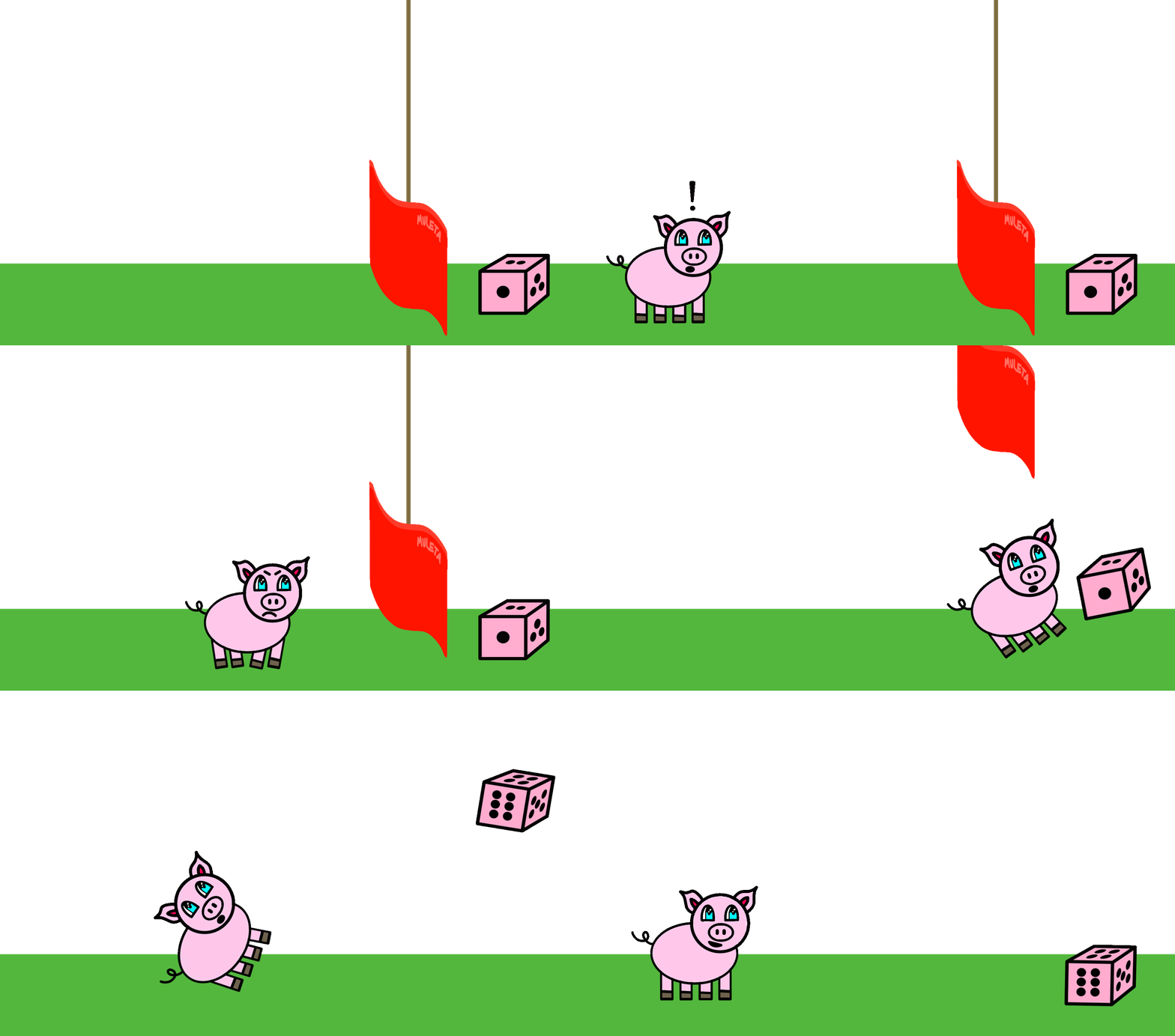
Animation created by Tristan & Tyler Roath
Printing Game Events
We have built a simulator for the game, but haven't added any code to describe how the game events should be displayed to a person. Therefore, we've built a computer game that no one can play. (Lame!)
However, the simulator is expressed in terms of small functions, and we can
replace each function by a version that prints out what happens when it is
called. Using higher-order functions, we can do so without changing much of our
original code. An example appears in hog_ui.py, which you are encouraged to
read.
The play_and_print function calls the same play function just implemented,
but using:
- new strategy functions (e.g.,
printing_strategy(0, always_roll_5)) that print out the scores and number of dice rolled. - a new update function (
sus_update_and_print) that prints the outcome of each turn. - a new dice function (
printing_dice(six_sided)) that prints the outcome of rolling the dice.
Notice how much of the original simulator code can be reused.
Running python3 hog_ui.py from the terminal calls
play_and_print(always_roll_5, always_roll_5).
Accepting User Input
The built-in input function waits for the user to type a line of text and
then returns that text as a string. The built-in int function can take a
string containing the digits of an integer and return that integer.
The interactive_strategy function returns a strategy that lets a person
choose how many dice to roll each turn by calling input.
With this strategy, we can finally play a game using our play function:
Running python3 hog_ui.py -n 1 from the terminal calls
play_and_print(interactive_strategy(0), always_roll_5), which plays a game
between a human (Player 0) and a computer strategy that always rolls 5.
Running python3 hog_ui.py -n 2 from the terminal calls
play_and_print(interactive_strategy(0), interactive_strategy(1)), which plays
a game between two human players.
You are welcome to change hog_ui.py in any way you want, for example to use
different strategies than always_roll_5.
Graphical User Interface (GUI)
We have also provided a web-based graphical user interface for the game using a similar approach as hog_ui.py called hog_gui.py. You can run it from the terminal:
python3 hog_gui.py
Like hog_ui.py, the GUI relies on your simulator implementation, so if you have any bugs in your code, they will be reflected in the GUI. This means you can also use the GUI as a debugging tool; however, it's better to run the tests first.
We will study how this GUI is created later in the course.
Phase 2: Strategies
In this phase, you will experiment with ways to improve upon the simple
always_roll_5 strategy. A strategy is a function that takes two
arguments: the current player's score and their opponent's score. It returns the
number of dice the player will roll, which can be from 0 to 10 (inclusive).
Problem 6 (2 pt)
Implement always_roll, a higher-order function that takes a number of dice
n and returns a strategy function that always rolls n dice. Thus, always_roll(5)
would be equivalent to always_roll_5.
python3 -m pytest -k q06 --unlockUnlocking Examples
>>> from hog import *
>>> always_roll(3)(10, 20)
______
>>> always_roll(0)(99, 99)
______
python3 -m pytest -k q06Problem 7 (2 pt)
A strategy has a fixed number of possible argument values. For example, in a
game with a goal of 100, there are only 100 possible score values (0-99) and
100 possible opponent_score values (0-99), resulting in 10,000 possible
argument combinations to a strategy function.
| Player Score | Opponent Score Combinations |
|---|---|
| 0 | (0,0), (0,1), (0,2), ..., (0,99) |
| 1 | (1,0), (1,1), (1,2), ..., (1,99) |
| 2 | (2,0), (2,1), (2,2), ..., (2,99) |
| ... | ... |
| 98 | (98,0), (98,1), (98,2), ..., (98,99) |
| 99 | (99,0), (99,1), (99,2), ..., (99,99) |
Implement is_always_roll, which takes a strategy and returns whether that
strategy always rolls the same number of dice for every possible argument
combination, where each score is up to goal points.
Reminder: The game continues until one player reaches
goalpoints (in the above examplegoalis set to100, but it could be any number). Ensure your solution considers every possible combination ofscoreandopponent_scorefor the specifiedgoal.
python3 -m pytest -k q07 --unlockUnlocking Examples
>>> from hog import *
>>> is_always_roll(always_roll_5)
______
>>> is_always_roll(always_roll(3))
______
>>> is_always_roll(catch_up)
______
python3 -m pytest -k q07Problem 8 (2 pt)
Implement make_averaged, which is a higher-order function that takes a
function func_to_average as an argument.
The return value of make_averaged is a function that takes in the same
arguments as func_to_average. When called with specific arguments, this
function should repeatedly call func_to_average on those same arguments
iterations times, and return the average of the results. Take a look at the
make_averaged doctest. Be sure to keep track of what values are being passed
into the function!
Doctest Walkthrough: Take a close look at the
make_averageddoctest. Here,func_to_averageisroll_dice. Notice the lineaveraged_dice(1, dice). This implies that the arguments forroll_diceare(1, dice)(think about why!) Observe howaveraged_diceaccepts the same arguments asroll_dice. The arguments are not passed directly toroll_dicebut rather toaveraged_dice. (Think about how this can be achieved!) Keep in mind,make_averagedshould work with anyfunc_to_averagethat shares the same argument structure as the function returned bymake_averaged. In this example, rolling a single die is considered a sample (roll_dice(1, dice)). Sinceiterationsis set to 40, this sampling is repeated 40 times. Themake_averagedfunction then calculates the average result of these 40 calls toroll_dice.
Important: To implement this function, you will need to use a new piece of Python syntax. We would like to write a function that accepts an arbitrary number of arguments, and then calls another function using exactly those arguments. Here's how it works.
Instead of listing formal parameters for a function, you can write
*args, which represents all of the arguments that get passed into the function. We can then call another function with these same arguments by passing these*argsinto this other function. For example:>>> def printed(f): ... def print_and_return(*args): ... result = f(*args) ... print('Result:', result) ... return result ... return print_and_return >>> printed_pow = printed(pow) >>> printed_pow(2, 8) # *args represents the arguments (2, 8) Result: 256 256 >>> printed_abs = printed(abs) >>> printed_abs(-10) # *args represents one argument (-10) Result: 10 10Here, we can pass any number of arguments into
print_and_returnvia the*argssyntax. We can also use*argsinside ourprint_and_returnfunction to make another function call with the same arguments.
python3 -m pytest -k q08 --unlockUnlocking Examples
>>> from hog import *
>>> dice = make_test_dice(3, 1, 5, 6)
>>> averaged_dice = make_averaged(dice, 1000)
>>> averaged_dice()
______
>>> dice = make_test_dice(3, 1, 5, 6)
>>> averaged_roll_dice = make_averaged(roll_dice, 1000)
>>> averaged_roll_dice(2, dice)
______
python3 -m pytest -k q08Problem 9 (2 pt)
Implement max_scoring_num_rolls, which runs an experiment using a die with a fixed number of sides to
determine the number of rolls (from 1 to 10) that gives the maximum average
score for a turn. Your implementation should use make_averaged and roll_dice.
If two numbers of rolls are tied for the maximum average score, return the lower number. For example, if both 3 and 6 achieve the same maximum average score, return 3.
Read the doctest for this problem and make_averaged (Problem 8) before trying
to unlock the tests.
Important: In order to pass all of our tests, please make sure that you are testing dice rolls starting from 1 going up to 10, rather than from 10 to 1.
python3 -m pytest -k q09 --unlockUnlocking Examples
>>> from hog import *
>>> dice = make_test_dice(3)   # dice always returns 3
>>> max_scoring_num_rolls(dice, iterations=1000)
______
>>> dice = make_test_dice(2)     # dice always rolls 2
>>> max_scoring_num_rolls(dice, iterations=1000)
______
>>> dice = make_test_dice(1)     # dice always rolls 1
>>> max_scoring_num_rolls(dice, iterations=1000)
______
>>> dice = make_test_dice(1, 2)  # dice alternates 1 and 2
>>> max_scoring_num_rolls(dice, iterations=1000)
______
python3 -m pytest -k q09Running Experiments
The provided run_experiments function calls
max_scoring_num_rolls(six_sided) and prints the result. You will likely find
that rolling 6 dice maximizes the result of roll_dice using six-sided dice.
To call this function and see the result, run hog.py with the -r flag:
python3 hog.py -r
In addition, run_experiments compares various strategies to always_roll(6).
You are welcome to change the implementation of run_experiments as you wish.
Note that running experiments with boar_strategy and sus_strategy will not
have accurate results until you implement them in the next two problems.
Some of the experiments may take up to a minute to run. You can always reduce
the number of trials in your call to make_averaged to speed up experiments.
Running experiments won't affect your score on the project.
Problem 10 (2 pt)
A strategy can try to take advantage of the Boar Brawl rule by rolling 0 when
it is most beneficial to do so. Implement boar_strategy, which returns 0
whenever rolling 0 would give at least threshold points and returns
num_rolls otherwise. This strategy should not also take into account
the Sus Fuss rule.
Hint: You can use the
boar_brawlfunction you defined in Problem 2.
python3 -m pytest -k q10 --unlockUnlocking Examples
>>> from hog import *
>>> boar_strategy(40, 51, threshold=7, num_rolls=2)
______
>>> boar_strategy(40, 51, threshold=15, num_rolls=7)
______
>>> boar_strategy(40, 51, threshold=16, num_rolls=7)
______
python3 -m pytest -k q10You should find that running python3 hog.py -r now shows a win rate for
boar_strategy close to 66-67%.
Problem 11 (2 pt)
A better strategy would take advantage of both Boar Brawl and Sus Fuss in combination. For example, if a player has 53 points and their opponent has 60, rolling 0 would bring them to 62, which is a sus number, and so they would end the turn with 67 points: a gain of 67 - 53 = 14!
The sus_strategy returns 0 whenever rolling 0 would result in a score that
is at least threshold points more than the player's score at the
start of turn.
Hint: You can use the
sus_updatefunction you defined in Problem 4.
python3 -m pytest -k q11 --unlockUnlocking Examples
>>> from hog import *
>>> sus_strategy(31, 21, threshold=10, num_rolls=2)
______
>>> sus_strategy(30, 41, threshold=10, num_rolls=2)
______
>>> sus_strategy(53, 60, threshold=14, num_rolls=2)
______
>>> sus_strategy(53, 60, threshold=15, num_rolls=2)
______
>>> sus_strategy(23, 54, threshold=4, num_rolls=2)
______
>>> sus_strategy(14, 21, threshold=8, num_rolls=2)
______
>>> sus_strategy(14, 21, threshold=12, num_rolls=5)
______
python3 -m pytest -k q11You should find that running python3 hog.py -r now shows a win rate for
sus_strategy close to 67-69%.
Optional: Problem 12 (0 pt)
Implement final_strategy, which combines these ideas and any other ideas you
have to achieve a high win rate against the baseline strategy. Some
suggestions:
- If you know the goal score (by default it is 100), there's no benefit to scoring more than the goal. Check whether you can win by rolling 0, 1 or 2 dice. If you are in the lead, you might decide to take fewer risks.
- Instead of using a threshold, roll 0 whenever it would give you more points on average than rolling 6.
You can check that your final strategy is valid by running pytest.
python3 -m pytest -k q12Project Submission
Check your score on each part of the project:
python3 -m pytest --scoreOnce you are satisfied, submit this assignment: run Provenance: Prepare Submission Bundle from the VS Code command palette and upload the zip it creates to Gradescope. For a refresher on how to do this, refer to Lab 00.
Each partner must submit the version of the project that they typed.
Congratulations, you have reached the end of your first CS 61A project! If you haven't already, relax and enjoy a few games of Hog with a friend.
Hog Contest
If you're interested, you can take your implementation of Hog one step further
by participating in the completely optional Hog Strategy Contest, where you design a final_strategy
to be played against those of other students. The winning strategies will receive a paltry
amount of extra credit.